Beginner
How to Use AI by Voice (No Typing Needed)
You do not have to type to use AI. Today you can simply talk to it, like a phone call, and it talks back. That is perfect if typing on a small screen is a pain, if your hands are busy, or if you just think better out loud. Here is how to start, for free.
Short answer: Open the free ChatGPT or Gemini app on your phone and tap the voice button next to the text box. Then just talk. Both have free voice modes with daily or monthly limits.
Three ways to use AI by voice
| Way | Best for | Cost |
|---|---|---|
| Voice mode in an AI app (ChatGPT, Gemini, Copilot) | Real back-and-forth conversations | Free, with limits |
| Your phone's assistant (Gemini on Android, Siri on iPhone) | Quick questions, hands-free | Free |
| Smart speaker (Alexa+ in the US) | Home, kitchen, smart devices | Free with Prime, otherwise paid |
1. ChatGPT Voice
- Install the free ChatGPT app (by OpenAI) and sign in.
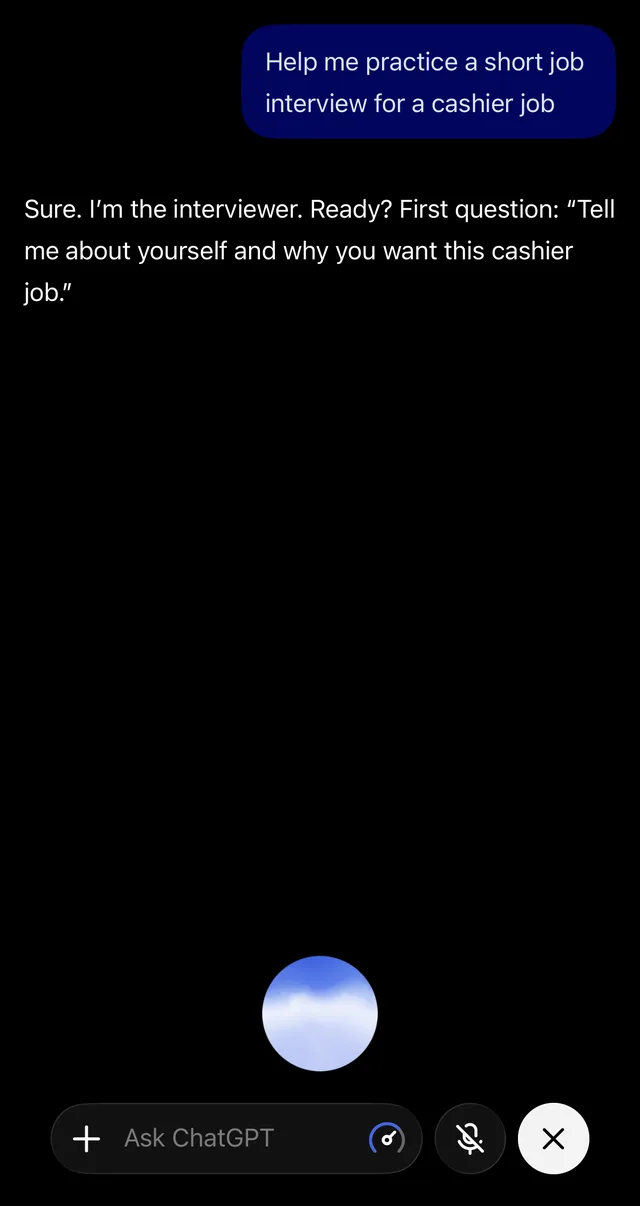
- Tap the voice button on the right side of the text box (a sound-wave or circle icon).
- Allow the microphone when your phone asks.
- Start talking. When it answers, you can interrupt it at any time, just like a real person.
- Tap the X to end. The conversation is saved as text in your chat history.
Voice is included in the free plan, but it has a usage limit and free accounts get a smaller voice model. You can see how much you have left under Settings > Usage, according to Engadget. Paid plans get higher limits and extras like showing your camera during a voice chat.
2. Gemini Live
Gemini Live is Google's voice mode, and it works in the free Gemini app on Android and iPhone.
- Open the Gemini app and sign in with your Google account.
- Tap the Live button (a sound-wave icon) at the bottom right.
- Talk normally. You can interrupt, change the topic or ask it to explain again.
On most Android phones you do not even need to open the app: Gemini has replaced Google Assistant, so you can say "Hey Google" or press and hold the power button. Read more in our guide to AI on your phone.
3. Microsoft Copilot and Claude
The free Copilot app also has a voice mode with several voices to choose from, and so does the Claude app. They work the same way: tap the voice icon and talk. Not sure which assistant to use? See our comparison of the four free AI chatbots.
4. Siri and Alexa+
- Siri (iPhone): on iPhone 15 Pro and newer, Siri can pass harder questions to ChatGPT. On older iPhones, Siri still handles simple things like timers and weather, but for real conversations use the ChatGPT or Gemini app.
- Alexa+ (US): Amazon's new AI version of Alexa became available to everyone in the US on February 4, 2026. It is free for Prime members and $19.99 a month for everyone else, and there is also a free, limited text chat at Alexa.com (TechCrunch).
No voice mode? Use the microphone on your keyboard
Every iPhone and Android keyboard has a small microphone key. Tap it in any AI app and speak: your words are typed for you. The AI still answers in text, but you save a lot of typing. This also works when you have used up your voice-mode limit.
7 things to try by voice
- Practice a job interview: "Be the interviewer for a receptionist job. Ask me one question at a time."
- Learn a language: "Talk to me in easy Spanish about my weekend. Correct my mistakes gently."
- Cook with clean hands: "Walk me through making pancakes, one step at a time. Wait until I say next."
- Think out loud: "I need to choose between two apartments. Ask me questions to help me decide."
- Prepare a hard talk: "Help me practice asking my boss for a day off."
- Learn something on a walk: "Explain how credit scores work in simple words, in two minutes."
- Make a list while driving (hands-free only): "Remind me what I need for the beach this weekend."
Want more ideas? See our list of everyday AI uses.
Tips for better voice chats
- Talk like you would to a person. Full sentences work better than keywords.
- Steer it. Say "shorter", "slower", "say that again" or "give me an example".
- Find a quiet spot. Background noise can make it stop or mishear you.
- Check important facts. Voice answers can be wrong too, and it is easy to miss a mistake when you only hear it. Read our 7 rules for spotting AI mistakes.
- Mind your privacy. Do not say passwords, bank details or ID numbers out loud, and remember that people around you can hear the answers.
- Driving? Only use hands-free setups, and keep your eyes on the road.
Get one AI tip every week
Short, practical, free.
One short email a week. You will get a confirmation email first. Unsubscribe any time. Privacy.