Beginner
How to Use AI on Your Phone (iPhone and Android)
Your phone is the easiest place to use AI. You can talk to it out loud, point your camera at something and ask about it, or get a quick answer while you are out. This guide shows you the simplest ways to start on an iPhone or an Android phone, for free.
Short answer: Install one free app (ChatGPT, Gemini, Copilot or Claude), sign in, and try voice mode. On Android, Gemini is already built in. On iPhone, Siri can pass harder questions to ChatGPT.
Option 1: Install a free AI app
All four big AI chatbots have free official apps on the App Store (iPhone) and Google Play (Android):
- ChatGPT by OpenAI
- Gemini by Google
- Microsoft Copilot by Microsoft
- Claude by Anthropic
Not sure which one to pick? We asked all four the same question in our free AI chatbots comparison. Any of them is a good start.
Watch out for fake apps. Search the store for the exact name and check the developer: OpenAI, Google, Microsoft or Anthropic. Skip look-alike apps that ask for a paid subscription right away.
Once installed, sign in with a Google, Apple, Microsoft or email account, and you can start typing. Your chats usually sync with the website too, so you can continue on your computer later. New to ChatGPT? Our ChatGPT beginner's guide walks you through the first steps.
Option 2: Use the assistant already on your phone
Android: Gemini is now your assistant
Google has replaced Google Assistant with Gemini on Android phones. The switch started on September 4, 2026 and rolled out over the following weeks. You open it the same way as before:
- Say "Hey Google", or
- Press and hold the power button (on some phones, swipe up from a bottom corner).
The difference is that you can now talk to it naturally and ask for help writing, planning or explaining things, not just setting alarms. Once your phone has switched, you cannot go back to the old Google Assistant. Very old phones, or countries where Gemini is not offered yet, may still have the old assistant.
iPhone: Siri plus ChatGPT
If your iPhone supports Apple Intelligence (iPhone 15 Pro and newer models), Siri can hand questions it cannot answer to ChatGPT. You do not even need a ChatGPT account for this, although you can link one.
- Open Settings > Apple Intelligence & Siri.
- Look for the ChatGPT option (newer iOS versions may also list other AI apps here) and turn it on.
- Now ask Siri something like "Ask ChatGPT for a three-day meal plan."
Older iPhones cannot do this, but every iPhone that runs current iOS can still use the free apps from Option 1.
5 things to try on your phone today
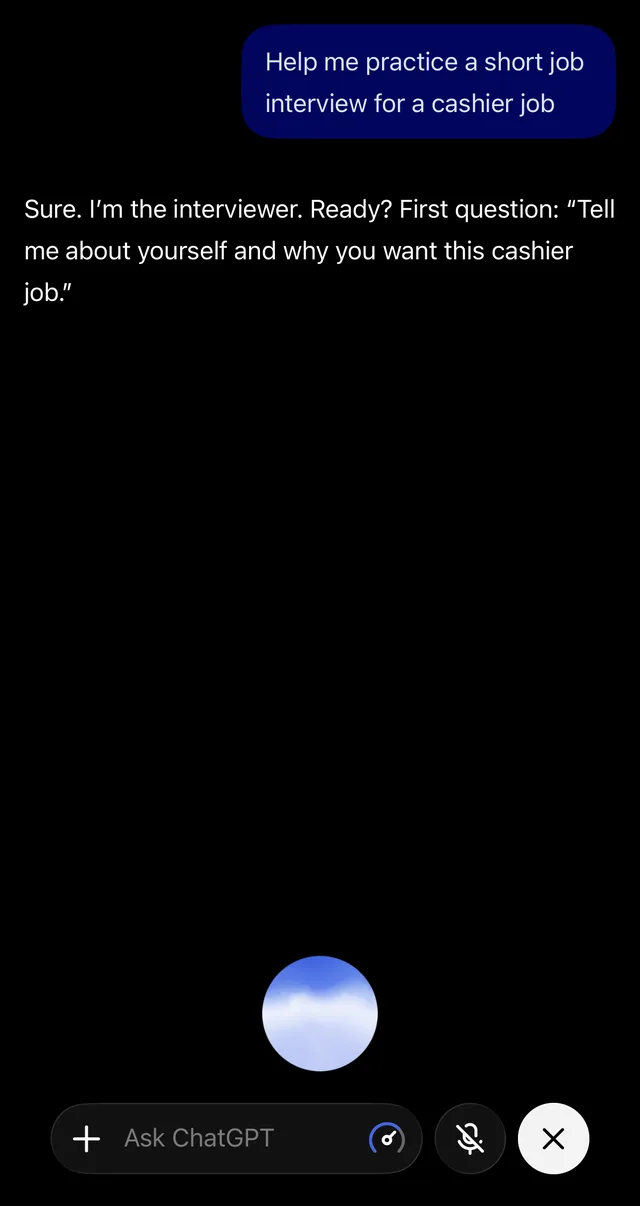
- Talk instead of type. Tap the voice or headphone icon in the app and have a real conversation. Great for practicing a job interview or a new language while you walk. (More in our voice guide.)
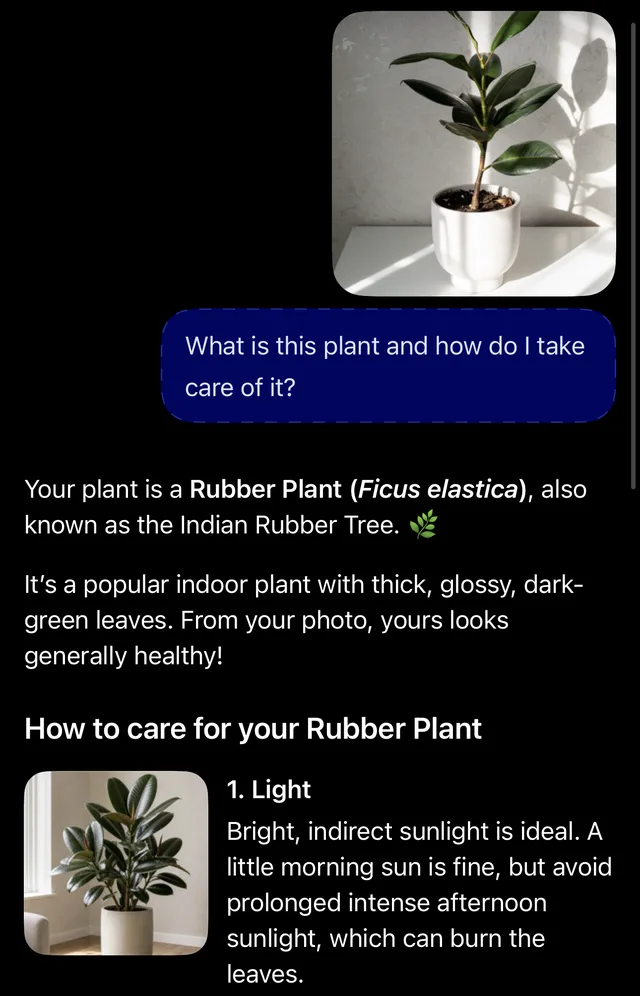
- Point your camera. Take a photo of a plant, a confusing bill, a menu in another language or a broken appliance part, and ask: "What is this and what should I do?"
- Turn a photo into a list. Snap a whiteboard or a handwritten note and ask the AI to type it up as a clean to-do list.
- Get help with a message. Paste a tricky text or email and ask: "Help me reply politely but firmly in three sentences."
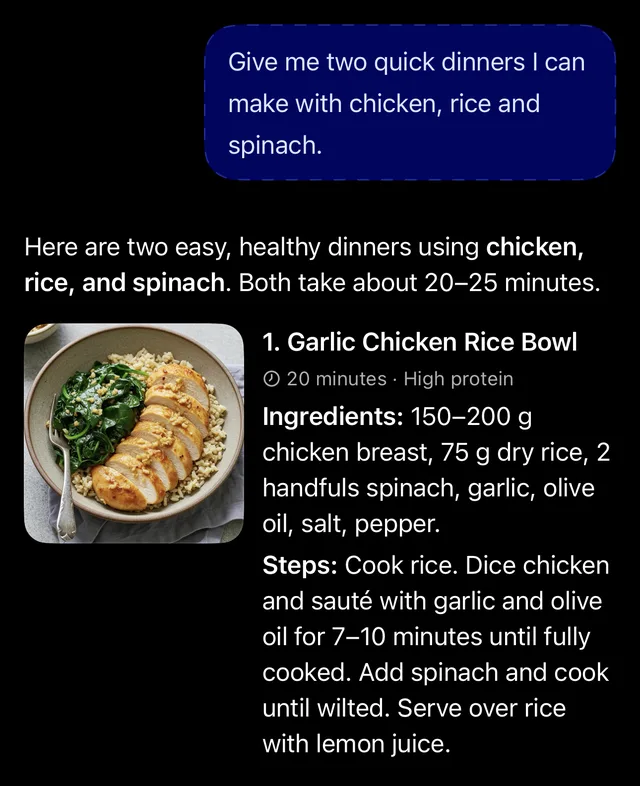
- Plan on the go. In the supermarket, ask: "Give me two quick dinners I can make with chicken, rice and spinach."
For more ideas, see our list of everyday AI uses, and use our prompt tricks to get better answers.
Privacy settings to check first
- Camera and microphone: the app only needs them when you use photos or voice. You can choose "Only while using the app" in your phone's settings.
- Model training: most apps let you stop your chats from being used to train the AI. In ChatGPT it is under Settings > Data Controls.
- Temporary chat: use it for anything personal so it is not saved in your history or memory.
- What you share: never send passwords, bank details, ID numbers or other people's private information. AI can also be wrong, so check important facts. Read common AI mistakes to learn what to watch for.
Is it free?
Yes. All four apps have a free plan that is enough for most people. Paid plans add stronger models and higher limits. For details, read Is ChatGPT free?
Get one AI tip every week
Short, practical, free.
One short email a week. You will get a confirmation email first. Unsubscribe any time. Privacy.