Work
How to Practice for a Job Interview With AI
The best way to get better at interviews is to practice answering questions out loud. The problem is finding someone patient enough to play the interviewer. A free AI chatbot can do exactly that, as many times as you want, at 11 p.m. the night before. Here is how to set it up so the practice is realistic and actually useful.
Short version: Paste the job ad into ChatGPT or Gemini, ask it to interview you one question at a time, answer out loud in voice mode, then ask for honest feedback and a score. Repeat your weakest answers until they feel natural.
Step 1: Give the AI the real job
Generic practice gives generic questions. Start every session with the actual job ad and a few lines about you. Remove your phone number and address first.
Read the list. You now know what to prepare for, and you can already think of a story for each one.
Step 2: Run a mock interview
This prompt turns the AI into an interviewer. The "one question at a time" part is important, otherwise it dumps all the questions at once.
Step 3: Practice out loud with voice mode
Typing your answers is better than nothing, but in a real interview you speak. Tap the voice button in the ChatGPT or Gemini app and do the same mock interview by talking. It feels a little strange for the first minute, then surprisingly real.
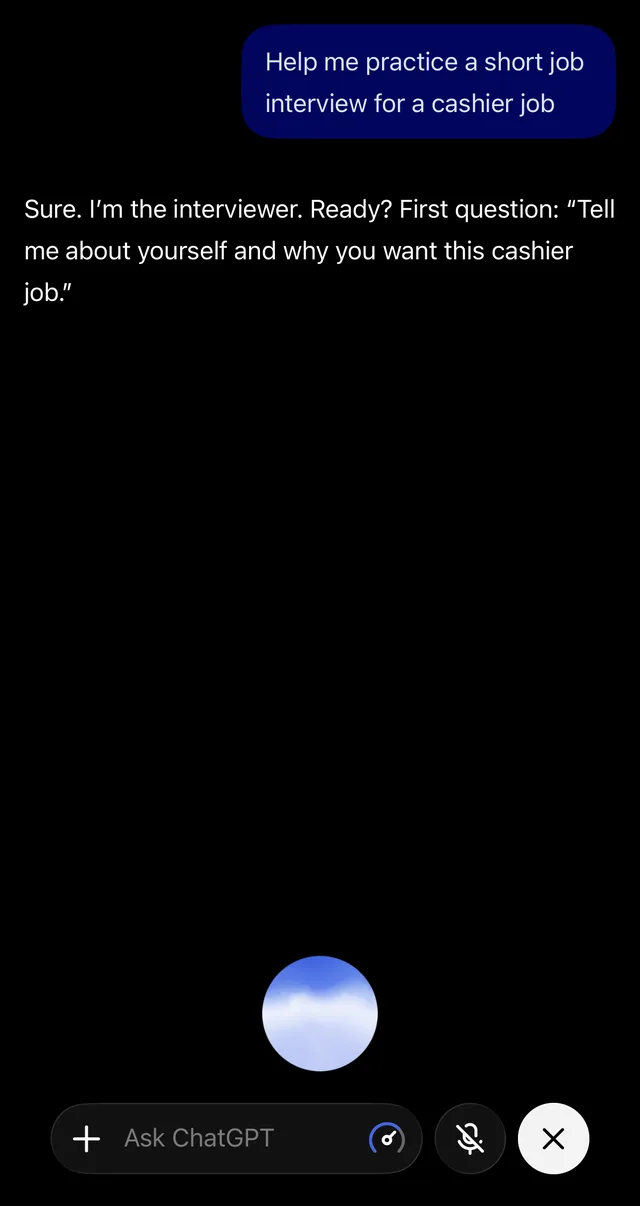
New to voice mode? See how to use AI by voice. Free plans have a voice limit, so for long practice sessions you can switch to typing when you run out.
Step 4: Ask for honest feedback
AI tends to be too nice. Ask it directly to be critical:
Then practice the weakest answer again: "Ask me that question again, I want to improve my answer."
Use the STAR method for "Tell me about a time…" questions
Many interviews include questions like "Tell me about a time you dealt with a difficult customer." The easiest way to answer is STAR:
| Letter | Meaning | Example (cashier job) |
|---|---|---|
| S | Situation | "On a busy Saturday, a customer was angry about a wrong price." |
| T | Task | "I had to fix it fast without holding up the line." |
| A | Action | "I apologized, called a supervisor to check, and gave the correct price." |
| R | Result | "He left happy, and my manager used my approach in training." |
AI is great at turning your rough story into STAR shape:
Practice the hard questions
These are the ones people dread. Ask the AI to drill you on them:
- "What is your biggest weakness?"
- "Why did you leave your last job?" (or "Why is there a gap in your resume?")
- "Why should we hire you instead of someone else?"
- "What salary are you expecting?"
- "Do you have any questions for us?"
For the salary question, ask the AI for a typical range for the role and city, then double-check on a real salary site or job ads, because AI figures can be outdated.
Prepare your own questions
Asking good questions at the end makes a strong impression.
Practice for video interviews too
- Do one practice round on the same device you will use for the real interview.
- Check your light, sound and background, and look at the camera, not the screen.
- Ask the AI: "Give me a 5-point checklist for a video interview, the morning of."
What AI cannot do for you
- It does not know the company's real interview. Its questions are educated guesses. Also read the company's website and recent news.
- It can make things up. Never repeat a "better answer" that includes something you did not actually do. Interviewers ask follow-up questions. (More in how to spot AI mistakes.)
- Don't memorize word for word. Learn your key points and stories, then say them naturally.
- Never use AI during a live interview unless the employer clearly allows it. It is easy to notice and can cost you the job.
A simple 30-minute practice plan
- 5 min: get the 10 likely questions (Step 1).
- 10 min: mock interview in voice mode (Steps 2 and 3).
- 5 min: honest feedback and scores (Step 4).
- 10 min: redo your two weakest answers and prepare your questions for them.
Still applying? Make sure your resume and cover letter tell the same story you will tell in the interview.
Get one AI tip every week
Short, practical, free.
One short email a week. You will get a confirmation email first. Unsubscribe any time. Privacy.